
CROWN & BRIDGE
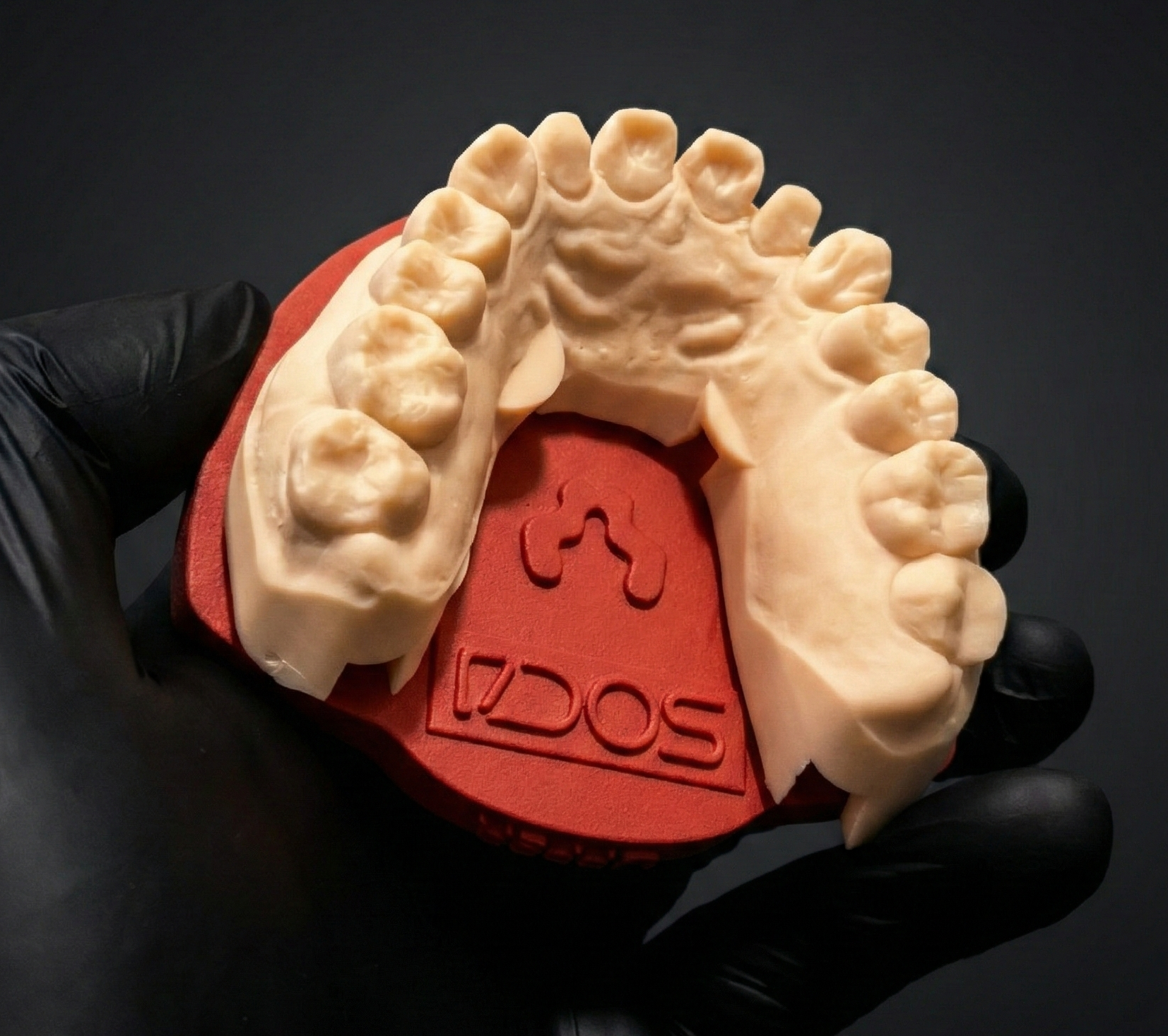
Upper arch on Light
Standard daily-volume case. The four magnets bind the arch to the plate at the calibrated position.
Once the articulator is calibrated and the plates installed, daily use is short: design, print, magnetize, seat. No remounting. No recalibration. No plaster.
The system has three things that can silently break the calibration: (1) printer or resin change without re-running fitting_TEST, (2) magnets not seated flush, (3) offset mismatch between calibrator and Exocad libraries. Each step below addresses one of these.
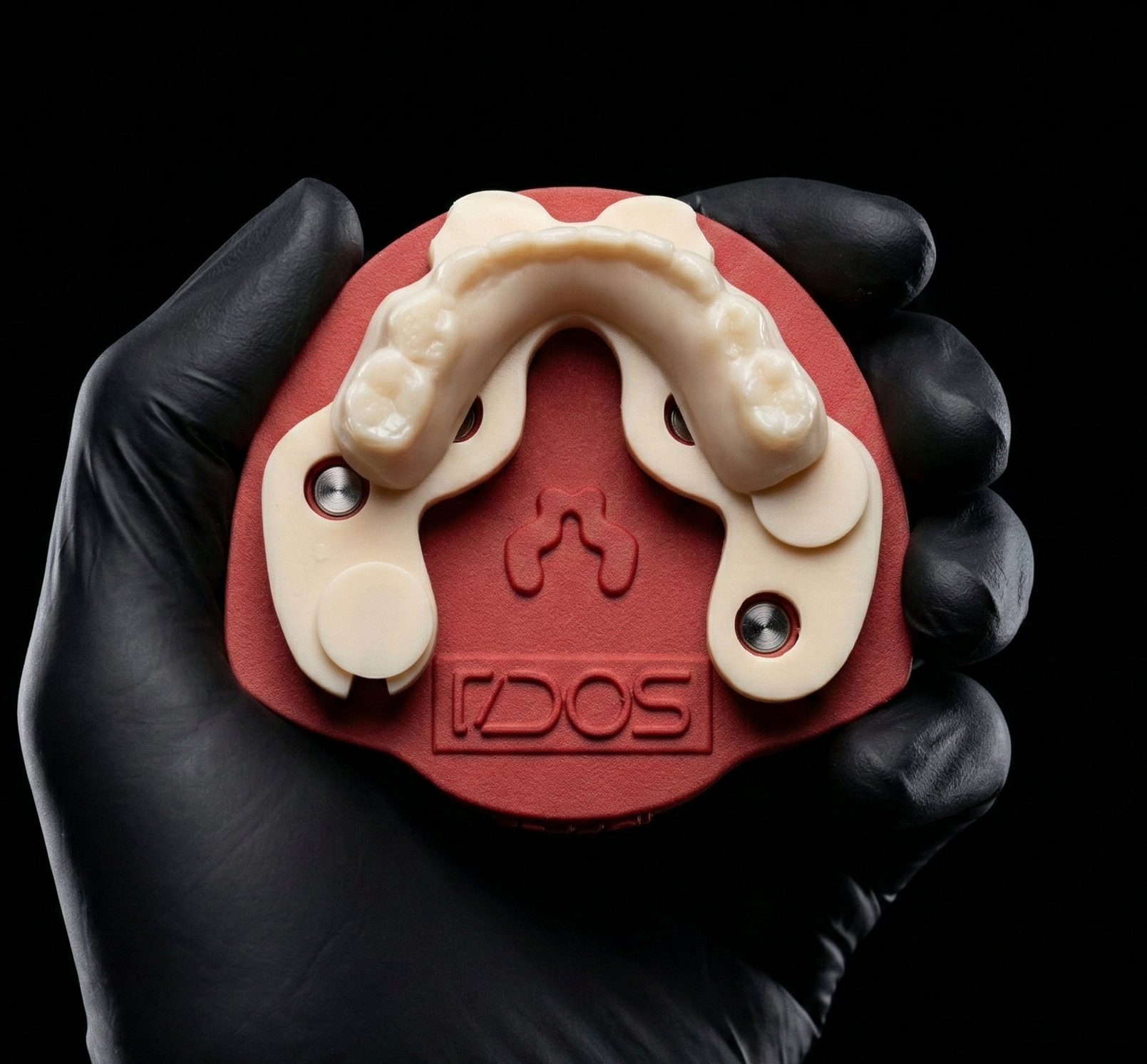
Real cases on real plates. Crown & bridge, full-arch, and implant work — all on the same calibrated articulator, no remounts between cases.
Standard daily-volume case. The four magnets bind the arch to the plate at the calibrated position.
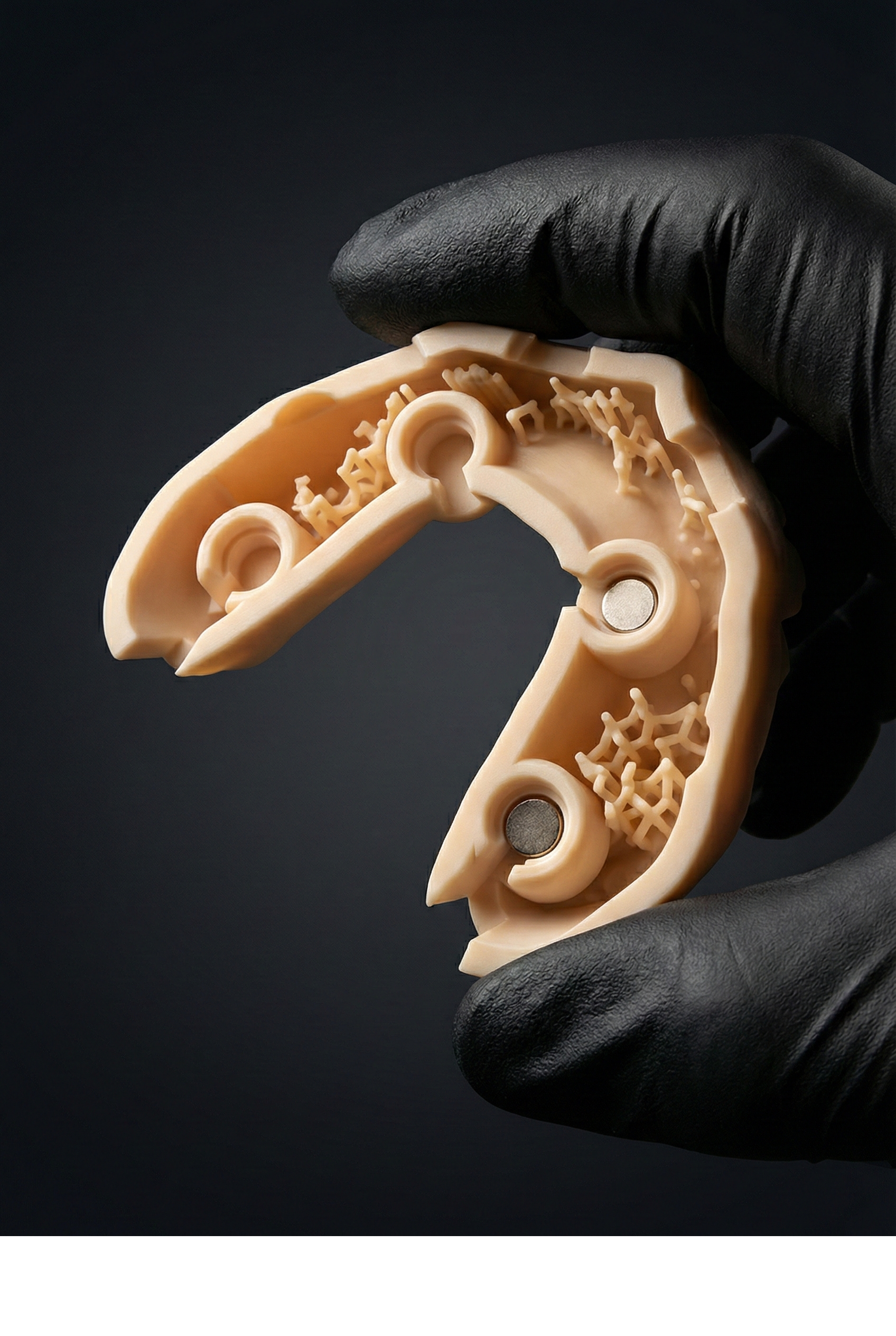
The four DACOS attachment sockets with magnets installed flush. The Exocad attachment library places these automatically.
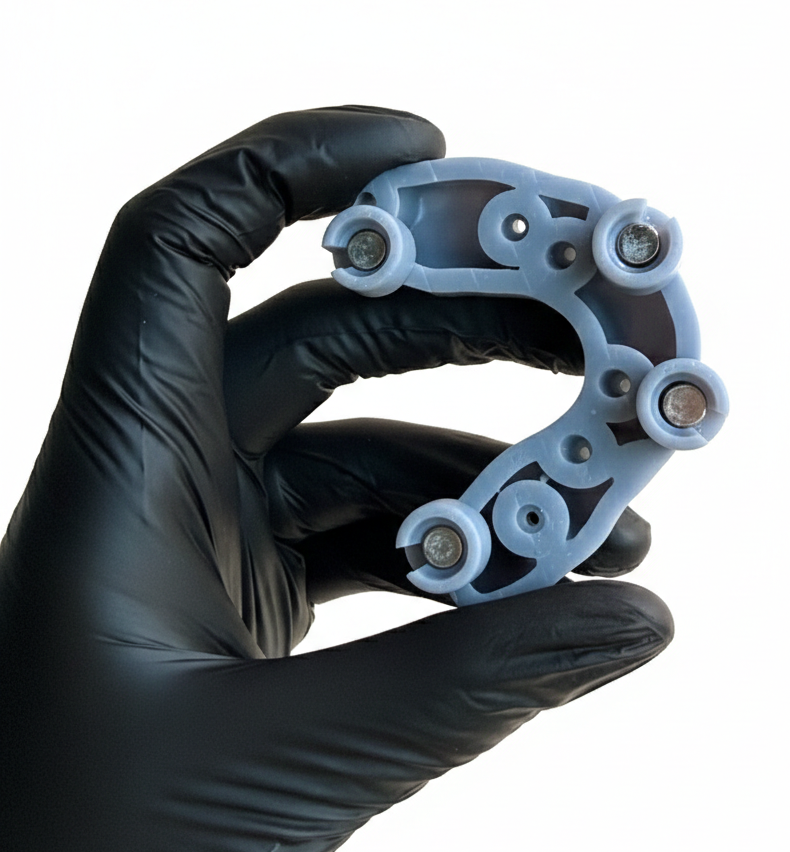
The 8-magnet plate gives multiple seating configurations — pick the four that don't interfere with implant analogs.
Same plate, same calibration, different case. Seat, work, remove, repeat — the reference doesn't drift.
If a model doesn't seat correctly, the cause is almost always one of three things:
A single magnet sitting 0.1 mm proud is enough. Inspect under raking light. Re-glue if any are off.
If you've switched resin, print a fresh fitting_TEST before the next production model. Don't guess — verify.
Confirm the offset on your Exocad attachment library matches the calibrator's offset. Re-download if unsure.